
Admissions & student records
Full student profile with photo, guardians, documents, transport stop and lifecycle history from admission to graduation.
Vidya runs admissions, attendance, homework, exams, fees, live bus tracking, WhatsApp alerts and an AI copilot — from one mobile-first app built for Karnataka schools, LKG to 10th, State, CBSE and ICSE.
Four of the modules teachers, parents and accountants touch every single day.
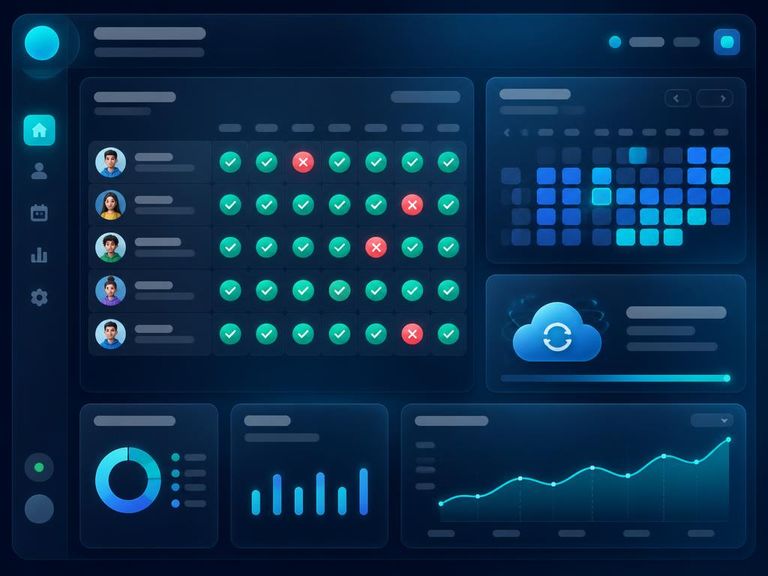
Period-wise or day-wise attendance with a 40-student grid. Works fully offline — entries queue on the device and sync the moment signal returns. Absentee WhatsApp alerts fire automatically to parents.
Build fee structures per class, generate invoices in bulk, record cash/UPI payments and watch balances update instantly. Automated arrears reminders go out on WhatsApp with a single approval.

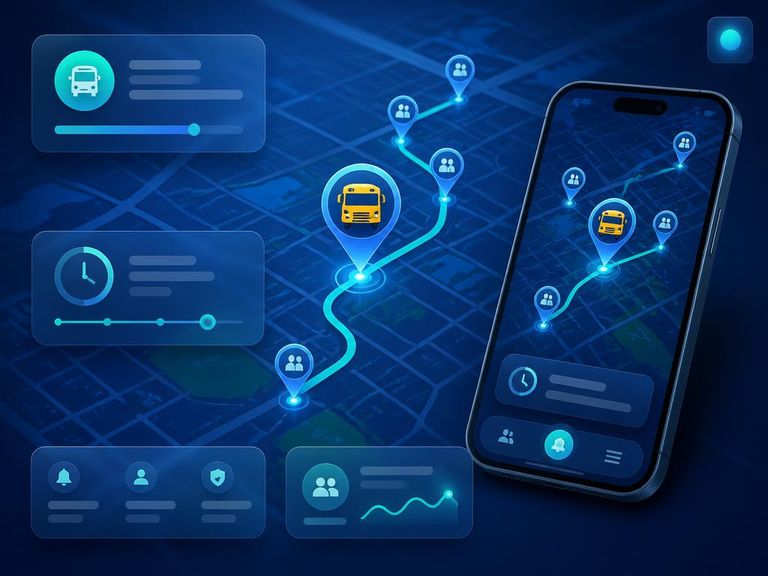
Drivers stream GPS from their phone; parents watch the bus glide along the route with stop-by-stop ETAs. Build routes by tapping stops directly on the map, and broadcast delay or SOS alerts in seconds.
Generate report-card remarks in English or Kannada, draft bilingual announcements, ask questions of your school data in plain language, and navigate the whole app by voice.

Pick an area to see exactly what Vidya does for it — no vague promises, just the features that are live today.

Capture walk-ins and phone enquiries, follow up on time, and convert them into a full student record — without a single paper register.
Admission number, class, section, board and guardian details captured in one guided form.
The moment a student is admitted, parent credentials are created and sent on WhatsApp and email.
Link mother, father or guardian to one or many children — one login covers every sibling.
Batch-promote a whole class at year end, graduate 10th std, or mark a transfer with full history.
Student photo, Aadhaar, TC and certificates stored on signed private links.
Search, filter by class or section, and switch between a dense list and photo cards.
The same school day, run two very different ways.
A teacher's full daily admin — attendance, homework and marks
Spreadsheets to reconcile — fees, marks and transport share one record
Of parents reachable on WhatsApp, no app install required
Not a roadmap — all of this is built and running today.
Academic years, classes LKG–10, sections, subjects and grading schemes.
Roster, admission records, guardian linking and rich student profiles.
Staff records, subject mapping, timetable load and bulk CSV import.
One-tap marking, offline sync and automated absence alerts.
12-period weekly grid per class with teacher clash awareness.
Assign, attach files, track submissions and nudge pending students.
Marks grids, grading and printable report cards for State/CBSE/ICSE.
Structures, invoices, receipts, balances and defaulter tracking.
Vehicles, routes, stops, driver console and live parent tracking.
WhatsApp-first blasts to classes, sections or the whole school.
Realtime threaded teacher–parent messaging with read state.
Secure student documents and school resources with signed links.
One-tap SOS plus smart alerts for low attendance and fee arrears.
Per-school AI feature flags, usage jobs and audit of every request.
Speak to navigate — built for teachers with their hands full.
Full audit log, rate limits and one-click JSON data export.
Switch the entire interface language instantly, ಕನ್ನಡ included.
Installs like an app, caches screens and syncs in the background.
Everyone signs in to the same place and sees only what they need.
Whole-school visibility: admissions, collections, staff load and compliance-ready audit trails.
Attendance, homework and marks in under five minutes a day — from a phone, even offline.
Attendance, homework, results, fee dues and the school bus, all in one place with WhatsApp nudges.
A single trip screen: start route, stream location, raise SOS. Nothing else to learn.
Most schools start with attendance and fees. Within a term they are using the rest, because it is already there and already connected to the same student record.
Full student profile with photo, guardians, documents, transport stop and lifecycle history from admission to graduation.
Period-wise or day-wise marking that works offline, queues on the device and syncs the moment the network returns. Absentee alerts go out automatically.
Twelve-period grids per class or section with hard conflict checks so a teacher is never double-booked across two rooms.
Assign with attachments and due dates, track submissions per student, and let parents see exactly what is pending tonight.
Configurable grading per board, mark entry per subject, analytics per student and printable report cards for the term.
Fee heads, term-wise structures, invoices for one student, a class or the whole school, part payments, receipts and automated due reminders.
Routes, stops, buses and drivers with a live map. Parents see the bus move and get a heads-up five minutes before it reaches their stop.
School-wide, class-wide or one-to-one. WhatsApp for reach, in-app chat for conversation, with role-aware contact lists.
One tap from the driver or the office raises an alert to administrators and affected parents instantly.
Circulars, study material and student documents stored per school with strict access rules.
Move an entire class to the next standard at year end, graduate outgoing students and keep an auditable record of every change.
Teacher profiles, qualifications, subject and class-teacher assignments, and per-role access to only the modules they need.
Ask for a summary, draft a circular or a remark, or speak a command like “mark attendance for 7A” and land on the right screen.
Schools raise tickets in-app; the platform team replies in a threaded conversation without leaving the product.
For trusts and groups: every school in one place, with billing, usage and support handled centrally.
Parents read the app in ಕನ್ನಡ, staff can stay in English — switched per user, not per school.
Generic school ERPs are built for a head office in another state and then translated. Vidya starts from how a Karnataka school actually runs: a class teacher marking attendance on the way to the staff room, an accountant reconciling cash fees at the counter, and a parent who wants the answer on WhatsApp in Kannada, not in an email.
Whether you run a single 300-student State board school in a taluk town or a trust with eight CBSE campuses across districts, the same platform scales — each school isolated, all of them visible from one console.
Names, photos, marks, addresses and payment history belong to families. Here is exactly how they are protected.
Every row in every table is scoped to a school. One school can never read another's students, marks or payments — the database enforces it, not the interface.
Teachers, accountants, admission staff, librarians, health officers, drivers and parents each see only their modules, checked again on the server for every request.
Sensitive actions — marks changes, fee entries, promotions, credential resets — are logged with who, what and when.
Managed daily backups with point-in-time recovery, so an accidental deletion is a restore, not a disaster.
A progressive web app that installs from the browser, caches the screens staff use most and keeps working when the connection drops.
Nothing for parents to download or update. A link opens the portal; WhatsApp carries the alerts.
No consultants, no on-site installation, no server to buy. Four steps, done from a laptop or a phone.
Sign up, name the school, pick your board (State, CBSE or ICSE) and set the academic year. Classes follow Karnataka naming — LKG, UKG, 1st Std through 10th Std — with sections only where you actually have them.
Add students one by one or in bulk with parent phone numbers, transport stop and documents. Login credentials for parents, teachers, accountants and drivers are generated automatically and delivered over WhatsApp and email.
Build a conflict-free timetable, mark attendance from a phone in under a minute, assign homework, publish marks and raise fee invoices for a student, a class or the whole school.
Absentee alerts, homework updates, exam results, fee reminders and bus-approaching notifications go out on WhatsApp without anyone typing a message. Parents reply to the class teacher in the in-app chat.
Pay only for the students you manage. No setup fee, no hidden parent charges, cancel any time.
For small schools finding their feet.
The complete school, running on one app.
For groups, trusts and multi-campus networks.
Prices are per student, per academic year, billed annually. All plans include the mobile PWA, row-level data isolation, daily backups and free updates. WhatsApp message costs are billed at actuals.
No. Vidya sends alerts on WhatsApp, and the parent portal opens in any mobile browser. Parents who want it can install the PWA in one tap.
Yes. Grading schemes are configurable per school, so marks, grades and report cards match your board's format.
Attendance and other key screens are cached. Entries queue on the device and sync automatically when connectivity returns.
Every table is protected by row-level security scoped to the school, so no school can ever read another's data.
A single morning for a typical school. Create the school, import students with parent numbers, add staff, and you can take attendance the same day. Historical marks or fee data can be loaded later without stopping daily use.
Yes. Trusts and groups get a central console listing every campus with its own students, staff, fees and billing, and can switch between schools without signing out.
Automatically. When a student is admitted or a staff member is added, credentials are generated and sent over WhatsApp, and by email when an address is on record. Parents without an email address sign in with their phone number.
Yes. Offline payments are recorded against the same invoice as digital ones, with receipts and part-payment support, so collection reports stay accurate however the money arrived.
The parent experience is available in Kannada and English, chosen per user. Staff can stay in English while parents read ಕನ್ನಡ.
The driver starts the trip in the app and the phone streams its location. Parents on that route see the bus on a map, get a notification when the trip starts, and another about five minutes before it reaches their stop.
Only staff of that school with a role that needs them, plus the student's own parents. Access is enforced in the database and every sensitive action is written to an audit log.
Promote a whole class to the next standard in one action, graduate outgoing students, and keep an auditable history of every move. Nothing is deleted.
Pricing is per student, per academic year. You can start with a single class to try it, and add the rest of the school when you are ready.